
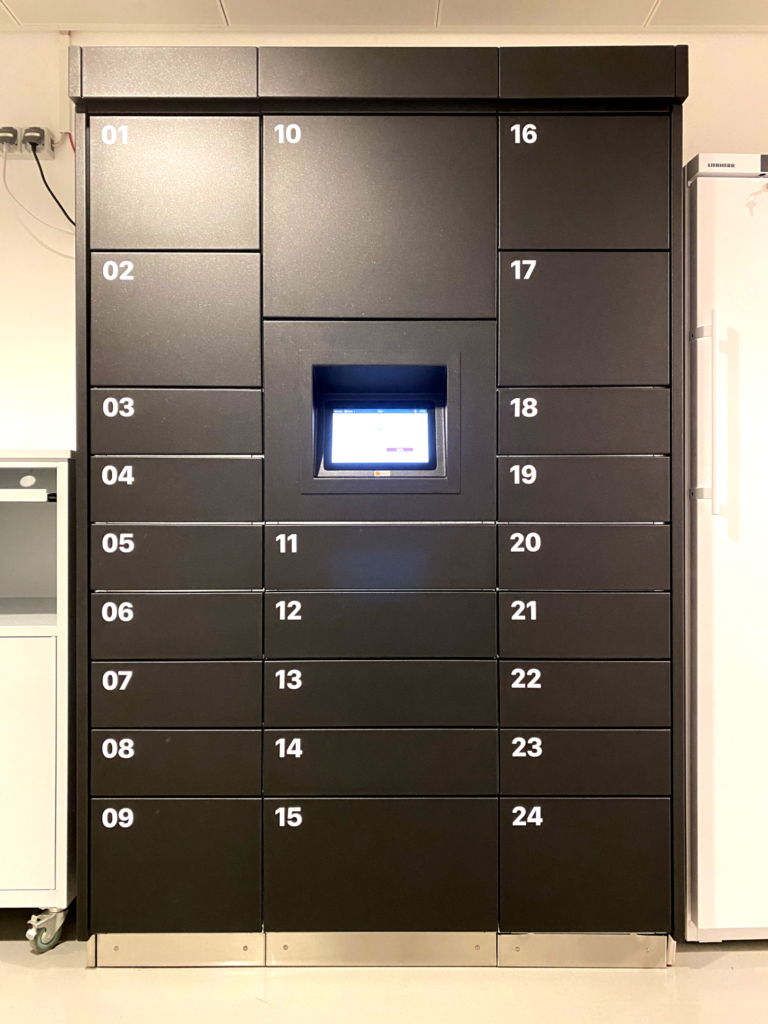
The Imaging and Optics facility hosts an “Automated Rental System” for Experimental Accessories, Optical Tools, (high-end) Objectives. The rental system is synchronized via a custom developed middleware (made in collaboration with the IT department) with the central SSU booking system (PPMS) for the Imaging and Optics Facility (PPMS/IOF). The Automated Rental System helps to coordinate access-rights and the utilization of the available items, with the ease of the booking system and without the need to have direct 1-to-1 transfers. In addition, the integration of this automated rental platform allows the Imaging and Optics facility to make the rentals available during the weekends.

How it works:
All items available need to be reserved in the booking system (PPMS – booking rights apply). Upon making a reservation, an access-code is generated for the duration of the reservation.
Rental Pick-up:
The IOF Automated Rental System is situated in the basement of the Bertalanffy Foundation Building (I04.U1.v05) and in the facility room in Moonstone Building (room I24.U.031). Enter the provided access code on the Automated Rental System-terminal to retrieve the booked rental from the storage box and make sure to check the provided instructions and to inspect the rental item before use. Report any issues.
Rental return:
Use the access code to open the storage box on the Automated Rental System-terminal, place the item inside and close the box. Confirm the return on the screen. Later, return emails will be sent out in case the rental items are not returned in time. When you return an item, the remaining session will automatically be cancelled on PPMS.
Rental prolongation:
Our rental system is synchronizing with the booking system (PPMS). To prolong a booking, please generate a direct adjacent booking. When leaving a gap in between 2 bookings, each bookings will obtain a separate pickup-codes and the items will need to be returned for each rental booking!
- Do not modify existing bookings!
- Do not delete bookings that already started!
Available Rentals:
You can find a list of all available rental items in our equipment database.
Guidelines: General microscopy guidelines apply. Available items might require user rights, or assistance for (autonomous) use → request form.